Skip to content

QtPass Screenshots 1.8.1

The current release in light and dark mode, and a first look at what the 2.0 branch does differently.

Back to QtPass Home

This project is maintained by IJHack

Based on a theme by orderedlist

Sitemap · Privacy · API docs

QtPass 1.8.1

KDE Plasma with the Breeze theme; the pictures follow your colour scheme.

QtPass main window: the password store as a tree on the left, one entry open on the right
The main window: your store as a tree, the open entry with its fields on the right, one-time codes and the QR code a click away.
QtPass configuration dialog
Configuration: native pass or the built-in Git and GnuPG handling, password generation, clipboard, profiles.

Coming in 2.0

The 2.0 branch is not released yet. These are captures of a development build, made without a window manager, so the windows have no title bars. Fifty-four seconds, no sound:

Your browser does not play MP4 video; download the tour instead.
First start, adding a password, the menu bar, profiles.

First start

A wizard replaces the old "please configure me" dialog: it finds GnuPG, pass and Git, lists your secret keys or makes one, and creates or adopts a password store.
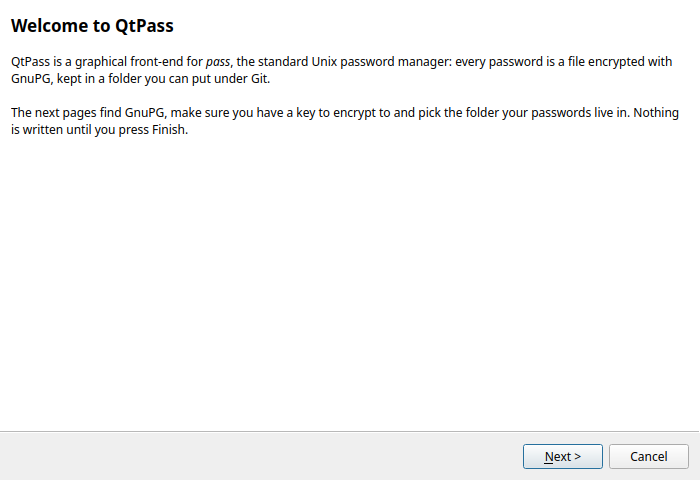
Wizard page 1: welcome
1. What QtPass is, in two sentences.
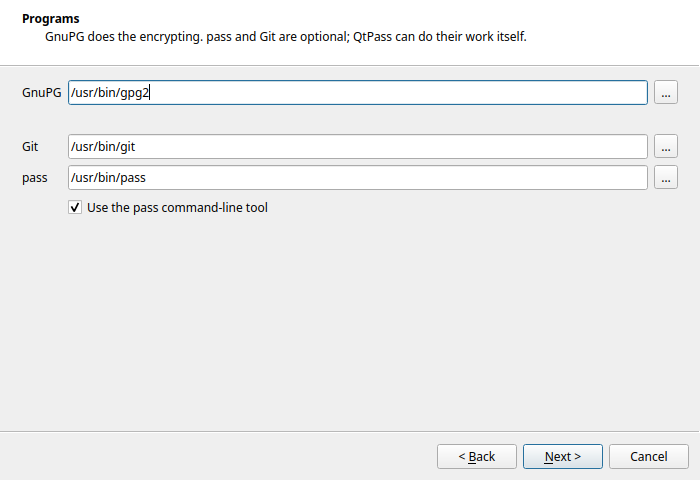
Wizard page 2: locations of gpg, pass and git
2. Programs, detected; only GnuPG is required.
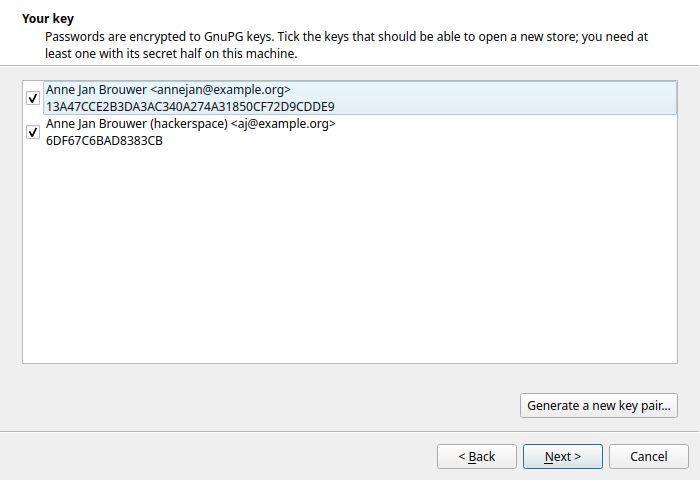
Wizard page 3: choose or generate a GnuPG key
3. Pick a secret key, or generate one.
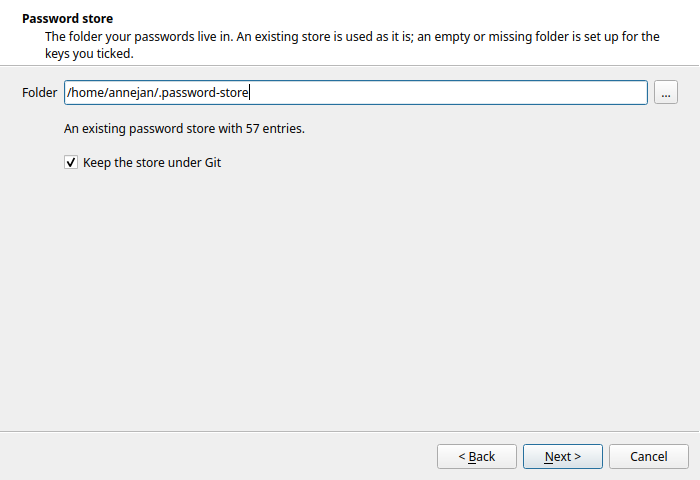
Wizard page 4: password store folder and Git
4. Where the store lives, Git on or off.
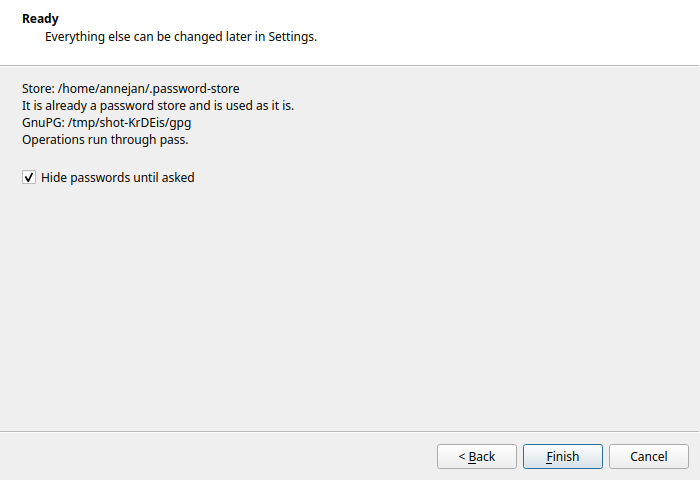
Wizard page 5: summary before anything is written
5. Nothing is written until you press Finish.

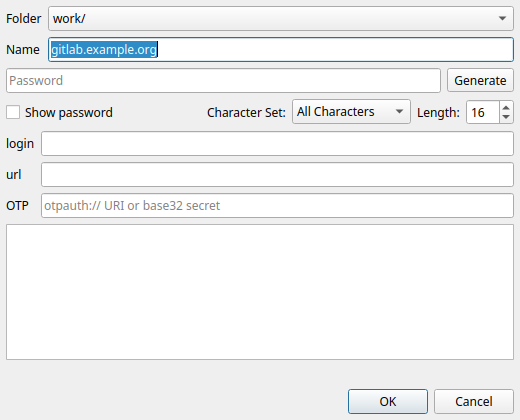
Adding a password

New password dialog with folder picker, name field and password
One dialog instead of two: pick the folder, type the name, set the password. The name is checked as you type.

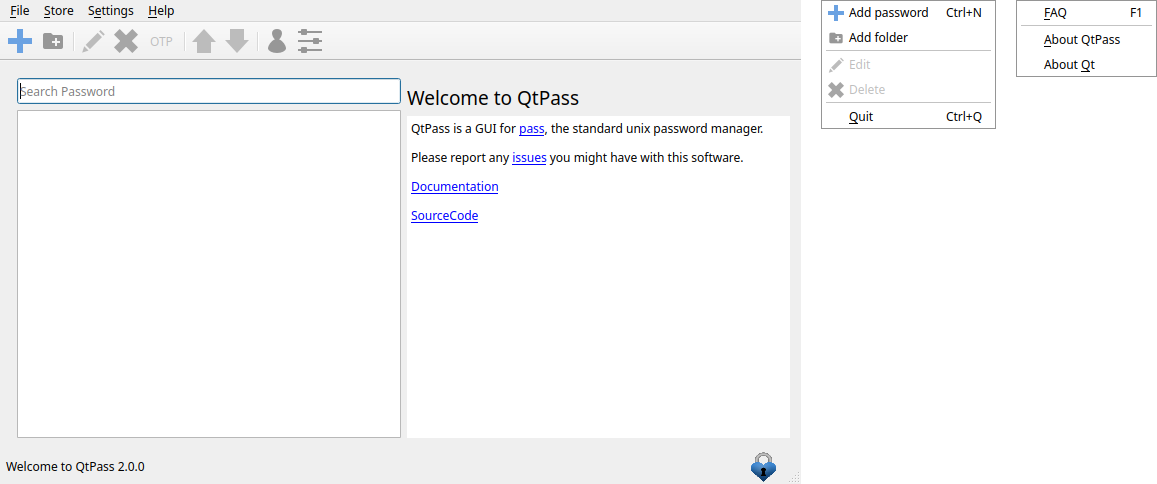
A menu bar

QtPass 2.0 main window with File, Edit, Settings and Help menus
File, Edit, Settings, Help; every action has a shortcut and a place. Ctrl+M hides it again.

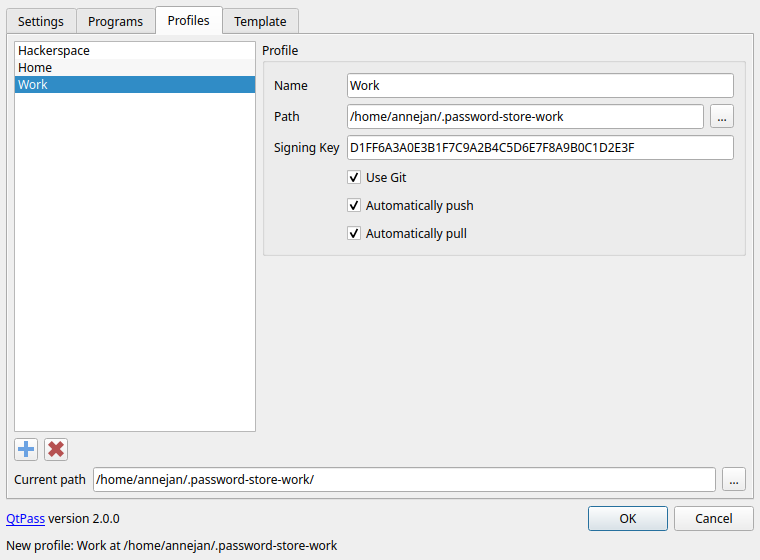
Profiles

Profiles tab: a list of profiles with a form for name, path, signing key and Git options
Profiles are a list with a form: name, folder, signing key, Git per store, validated before you can save.

The tour in pieces

wizard.mp4
First start (11 s)
addpassword.mp4
Adding a password (13 s)
menubar.mp4
The menu bar (13 s)
profiles.mp4
Profiles (17 s)

Everything on this page is in the 2.0 changelog, with the program that recorded the clips in qtpass-screenshots.